Introduction
We have covered LLMNR/NBT-NS Poisoning (how to obtain credentials from an Adversary-in-the-Middle (AitM) position) and how SMB signing prevents those credentials from being relayed over SMB. We will now explore a similar concept, but this time focusing on the Lightweight Directory Access Protocol (LDAP).
We will start by explaining what LDAP is and then have a look at the mechanisms that prevent relaying over it. We will keep our scope intentionally tight and won’t cover any unrelated aspects such as LDAP syntax.
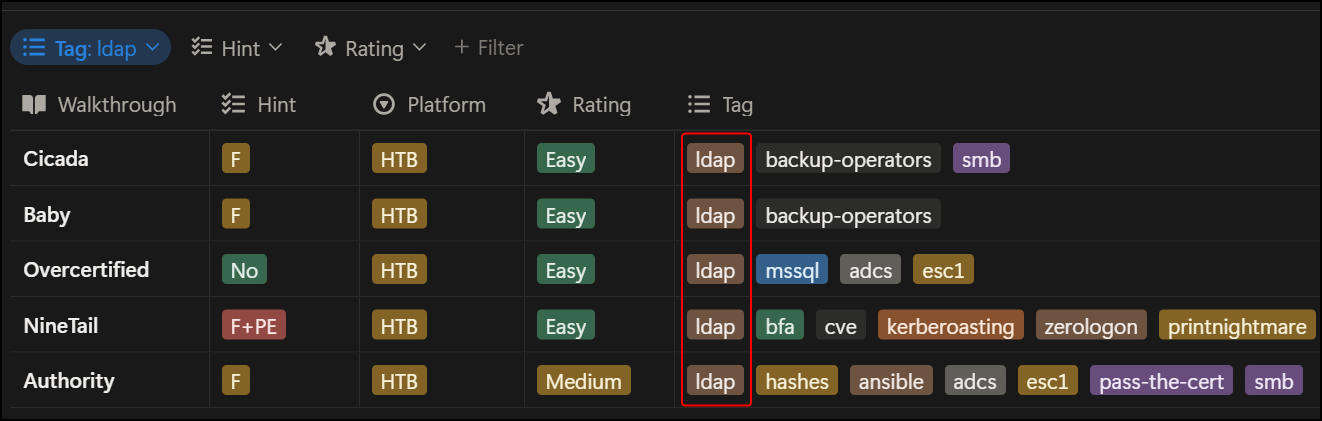
Similarly to the SMB protocol, you will have likely encountered LDAP in any Active Directory (AD)-focused lab. Below are some VL (now HTB) machines where LDAP plays a role in solving them:
TL;DR on LDAP
What is LDAP?
LDAP is a protocol used to interact with directory services, or, in simpler terms, the language that systems use to query AD, similar to how web applications use HTTP to speak to web servers.
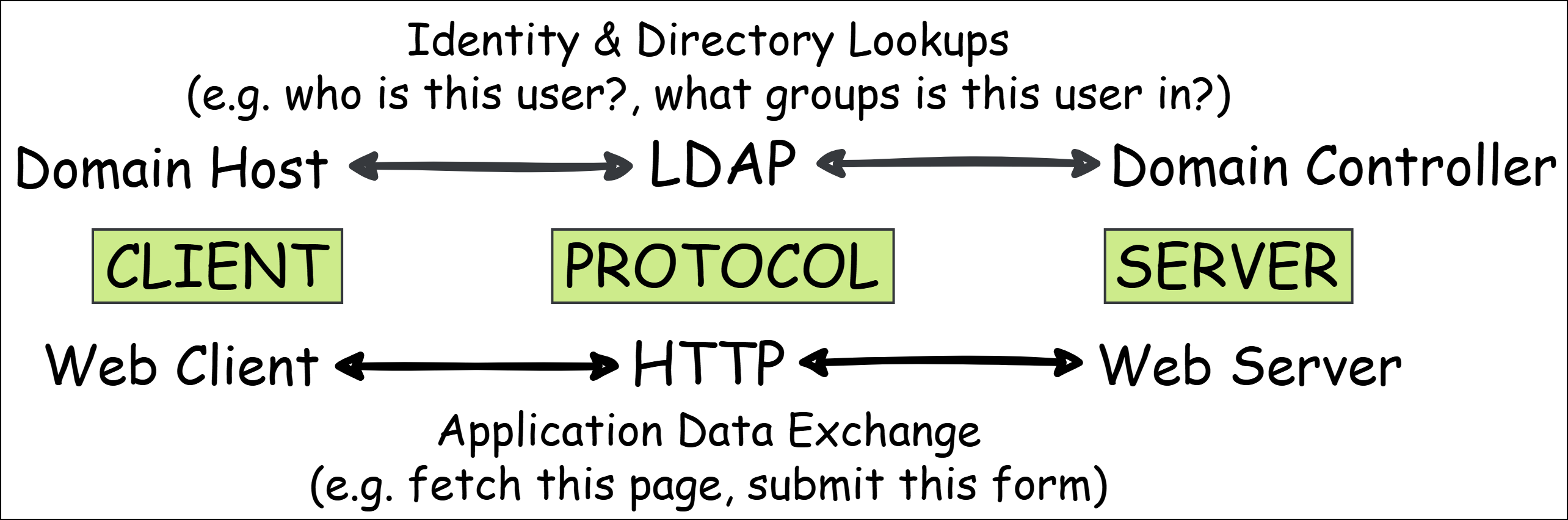
Within an AD environment, LDAP is mostly used for authentication and querying domain information (e.g. users and groups), which means that it is used 24/7. Its interactions often involve authenticated requests between systems and Domain Controllers (DCs).
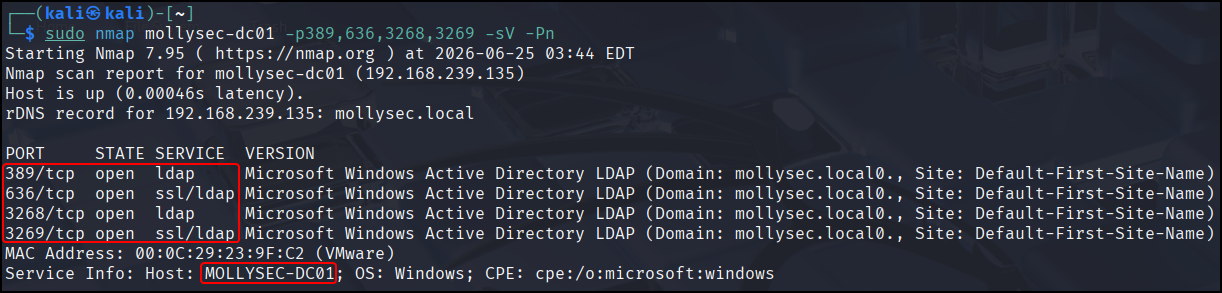
The LDAP service runs on DCs and (typically) listens on the following TCP ports:
- 389 → LDAP (plaintext communication; no encryption or integrity protection by default)
- 636 → LDAPS (LDAP over TLS; historically referred to as LDAP over SSL)
A DC can also hold the Global Catalog (GC) role, accessible via LDAP on TCP ports 3268 (unencrypted) and 3269 (encrypted). The GC contains a partial replica (commonly queried attributes) of all forest objects, which allows efficient cross-domain lookups:
And that’s LDAP in a nutshell!
Before diving into signing, we need to briefly talk about how LDAP authentication works.
LDAP Authentication
LDAP authenticates credentials against AD using a bind operation. There are two main bind types:
- Simple → the client provides credentials directly to the LDAP server (anonymous, unauthenticated, or username/password). If this is done over LDAP, the password is sent in cleartext. When TLS is used (LDAPS or StartTLS), it is encrypted in transit.
- Simple Authentication and Security Layer (SASL) → the client first authenticates with another protocol (Kerberos or NTLM) and then uses that to bind to LDAP. This establishes a security context which includes a session key. As we will soon see, this key plays a crucial role in the signing and sealing process.
For our purposes, that’s all we need to know about LDAP authentication. The main thing to keep in mind is that simple bind is incompatible with LDAP signing. Signing (and sealing!) requires a session key, which simple bind does not provide. When signing is required, SASL is the only way!
LDAP Signing (and Sealing!)
Signing vs Sealing
Everyone talks about LDAP signing, but hardly anyone mentions sealing. As a matter of fact, I hadn’t heard about it myself prior to writing this article! It turns out that signing and sealing are two different protections applied to the same message, both using the session key established during SASL authentication.
Let’s see how these work and why both are needed.
For an LDAP message to be signed, the sender computes a cryptographic checksum (MAC) over the data using the session key and includes it with the message. The receiver then recomputes that checksum using the same key and compares the result. If the values match, the message is accepted; otherwise, it is rejected.
This effectively guarantees that the message has not been modified in transit (integrity) and that the sender possesses the session key (implicit authentication). So far, so good. However, even though both the message and the sender are valid, the message’s contents are still transmitted in plaintext. This is where sealing comes into play.
With sealing, the payload itself is encrypted using the same session key. As a result, any intercepted traffic becomes unreadable without access to that key. It provides protection against eavesdropping (confidentiality), as well as the same implicit authentication, since only parties with the session key can decrypt the data.
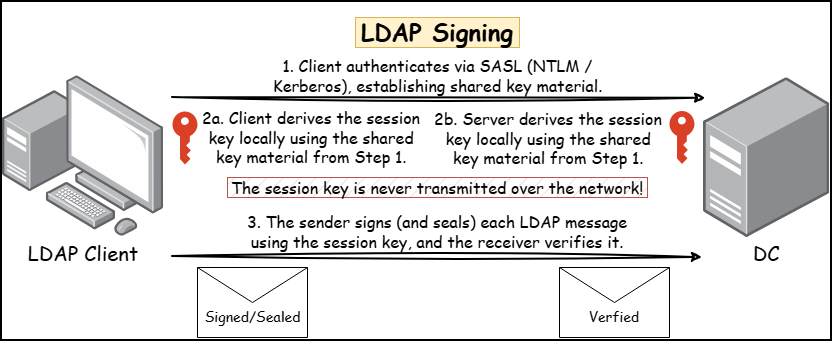
In practice, we are only hearing about LDAP signing because modern implementations typically negotiate both signing and sealing when using SASL authentication. Let’s recap before we move on, to make sure everything is clear:
| Feature | Traffic |
|---|---|
| No signing | Both readable and modifiable |
| Signing only | Readable, not modifiable |
| Signing & sealing | Neither readable nor modifiable |
Signing in Practice
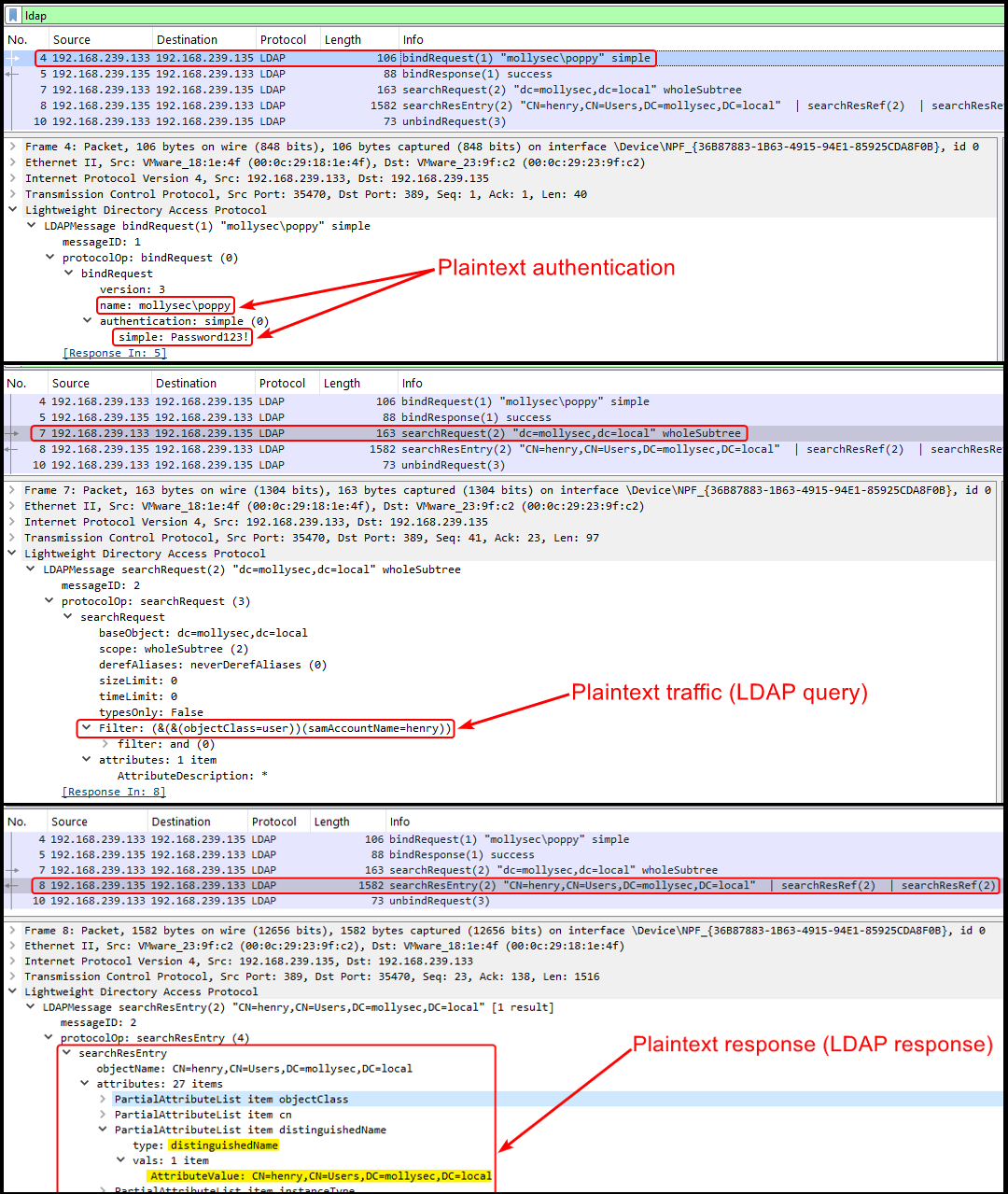
On the below (albeit huge) screenshot, we can see unsigned LDAP traffic. All communication (authentication, queries, and responses) is transmitted in plaintext, thus, it’s susceptible to eavesdropping and tampering via AitM attacks:
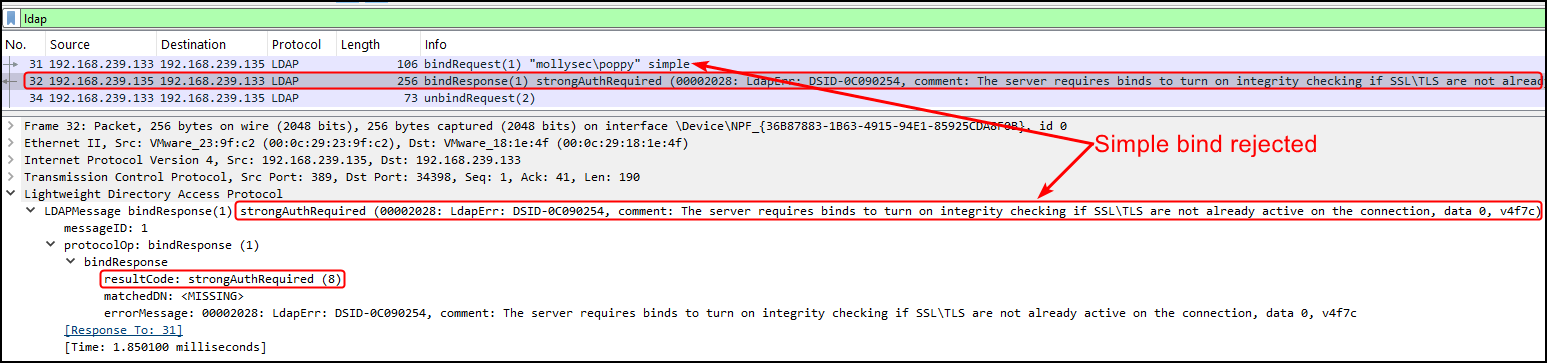
If we now enforce signing and repeat the exchange, first of all, simple bind gets rejected right away:
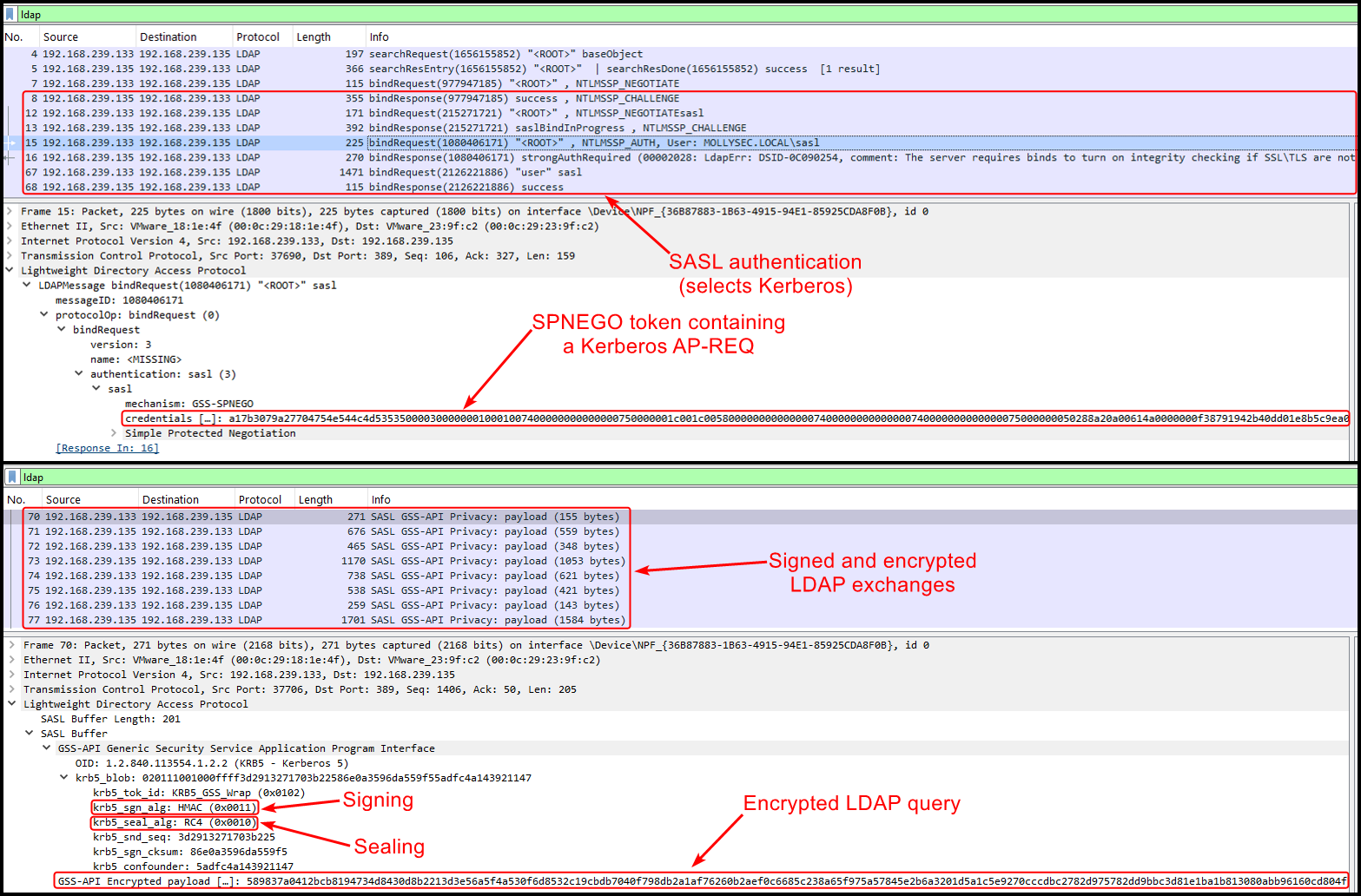
When we switch to SASL authentication (in this case, Kerberos), the bind succeeds. After this point, all communication is protected, meaning that both signing (krb5_sgn_alg) and sealing (krb5_seal_alg) are applied to each message. Therefore, it is not possible to inspect or tamper with the traffic via an AitM attack:
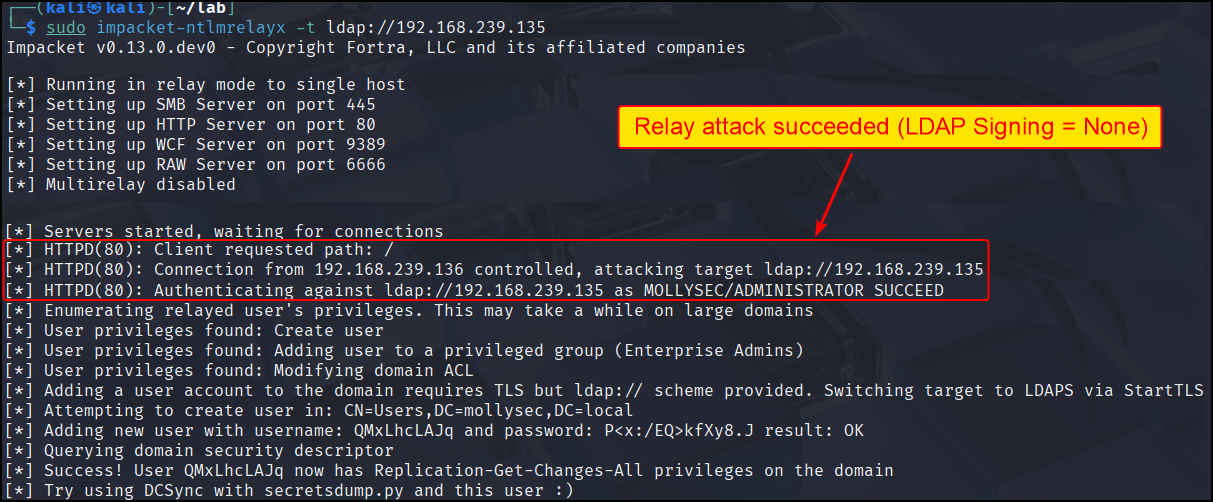
This difference has a direct impact on relay attacks. In the unsigned case, authentication can be relayed successfully:
However, once signing is enforced, the same relay attempt is rejected; no session key, no valid signatures, no relay:
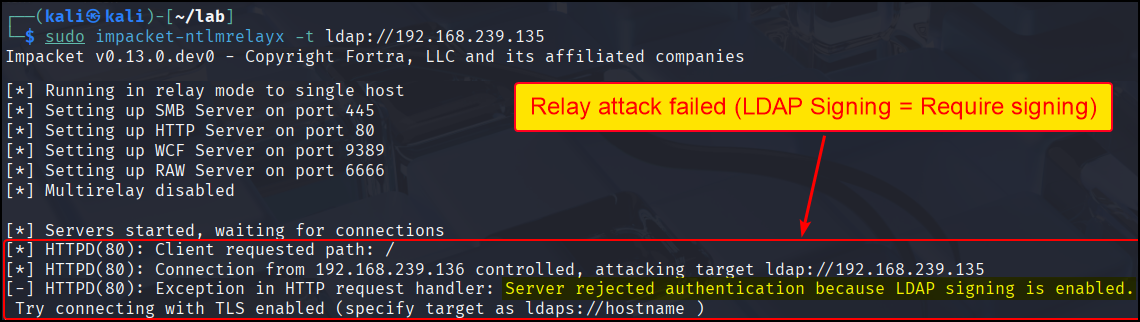
LDAP Channel Binding
LDAP channel binding is a mechanism that prevents relay attacks over LDAPS. Let’s go over two examples to better understand how this works in practice.
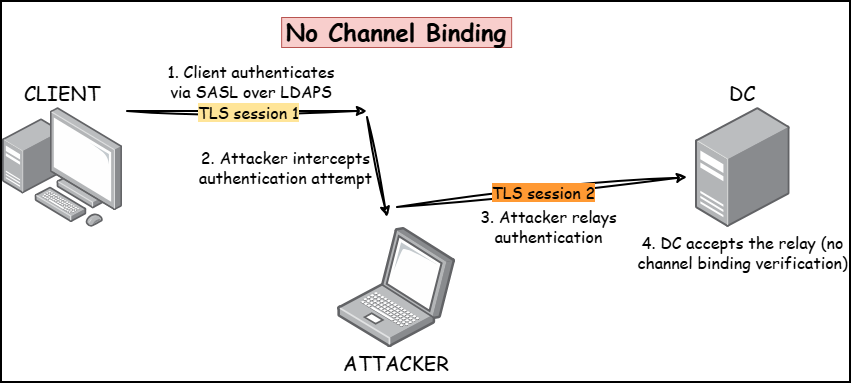
Without channel binding, when a client authenticates using SASL over LDAPS, an attacker in an AitM position can intercept the authentication attempt, and relay it to a DC over a different TLS connection. There is nothing for the DC to verify, so it happily accepts the relay:
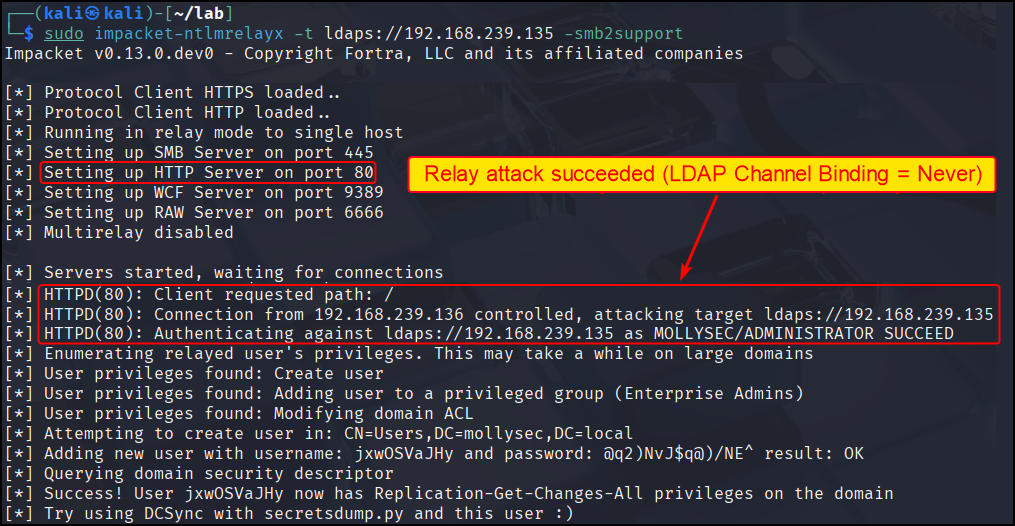
We can confirm this by disabling channel binding on mollysec-dc01, attempting HTTP authentication via DEV01 (http://<attacker-ip> as Administrator), and relaying this authentication attempt to DC:
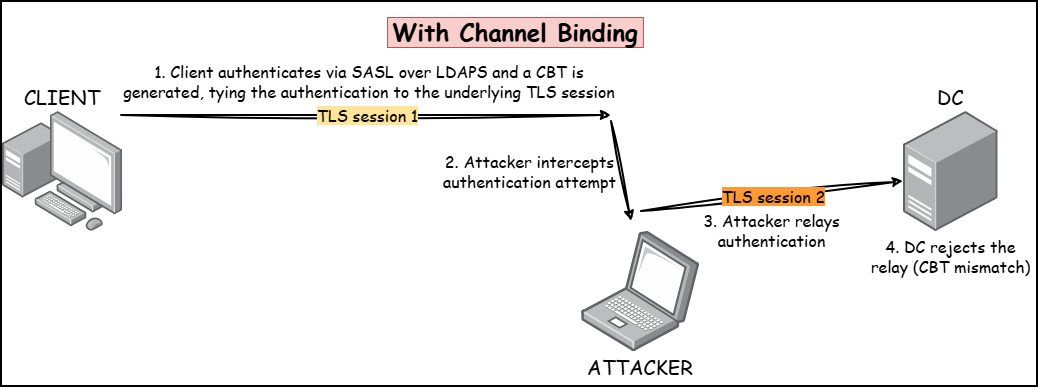
When channel binding is enabled, a Channel Binding Token (CBT) (a hash derived from the initial TLS connection details) is included as part of the authentication process. The CBT ties the authentication to the TLS connection it was initially created for.
Now, when the attacker attempts to relay the authentication over a different TLS connection, the DC has to verify that the CBTs match. Since the CBT is tied to the original TLS session, the attacker cannot provide a valid CBT for the new TLS connection, resulting in a mismatch:
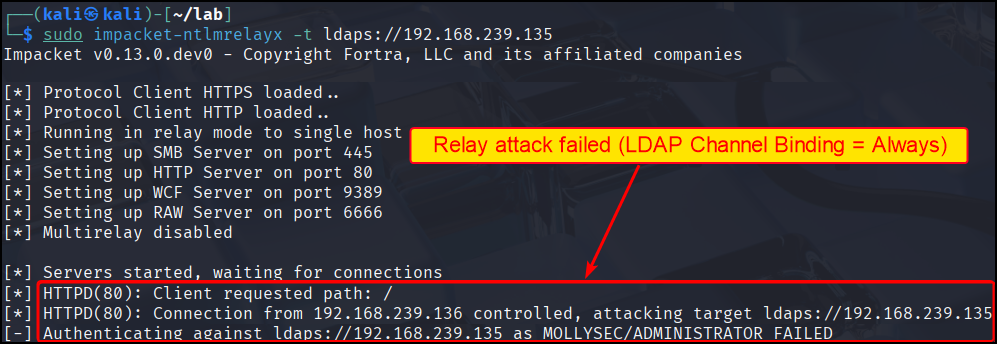
Repeating the same relay attack, but with channel binding enforced, results in the DC rejecting the request:
Configuration and Default Behaviour
Now that we have a basic understanding of LDAP signing (and sealing!) and channel binding, let’s see how they are configured on Windows systems.
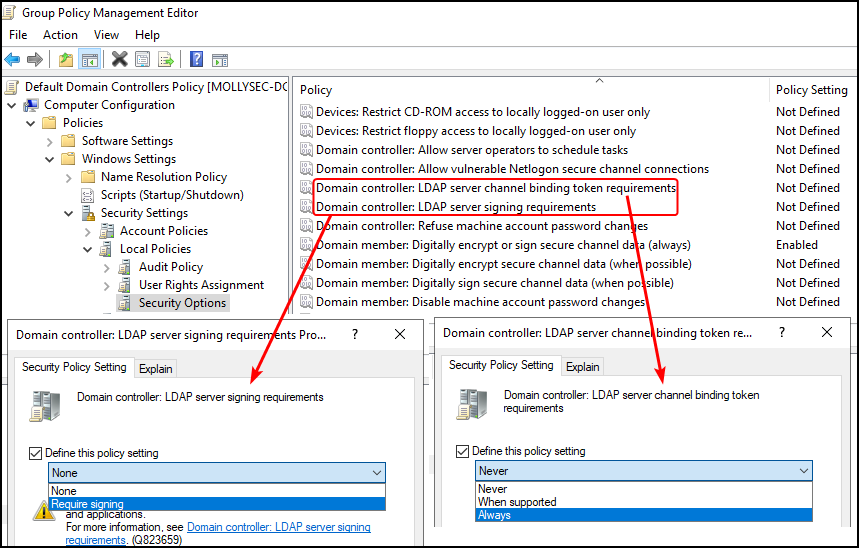
For DCs, these GPO settings can be found in the Default Domain Controllers Policy under Domain controller: LDAP server signing requirements and Domain Controller: LDAP server channel binding token requirements:
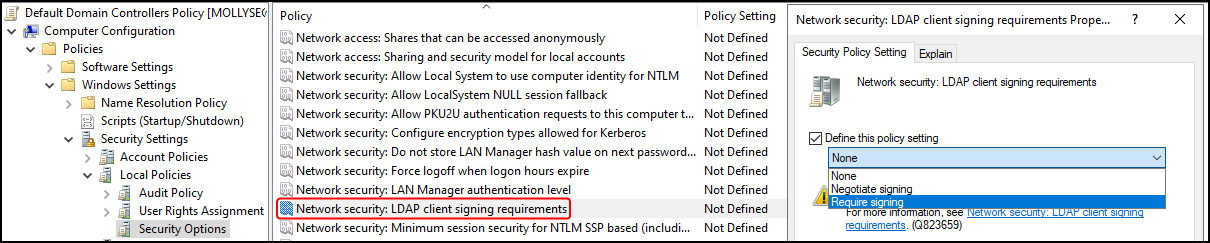
For clients, the corresponding GPO is called Network security: LDAP client signing requirements (channel binding is configured only on the server side) and includes the additional option of Negotiate signing:
Determining the default behaviour for these settings was not a straightforward task (as I naively thought it would be). Microsoft documentation appeared somewhat inconsistent and, on top of that, in some cases, it did not align with how the actual lab was behaving.
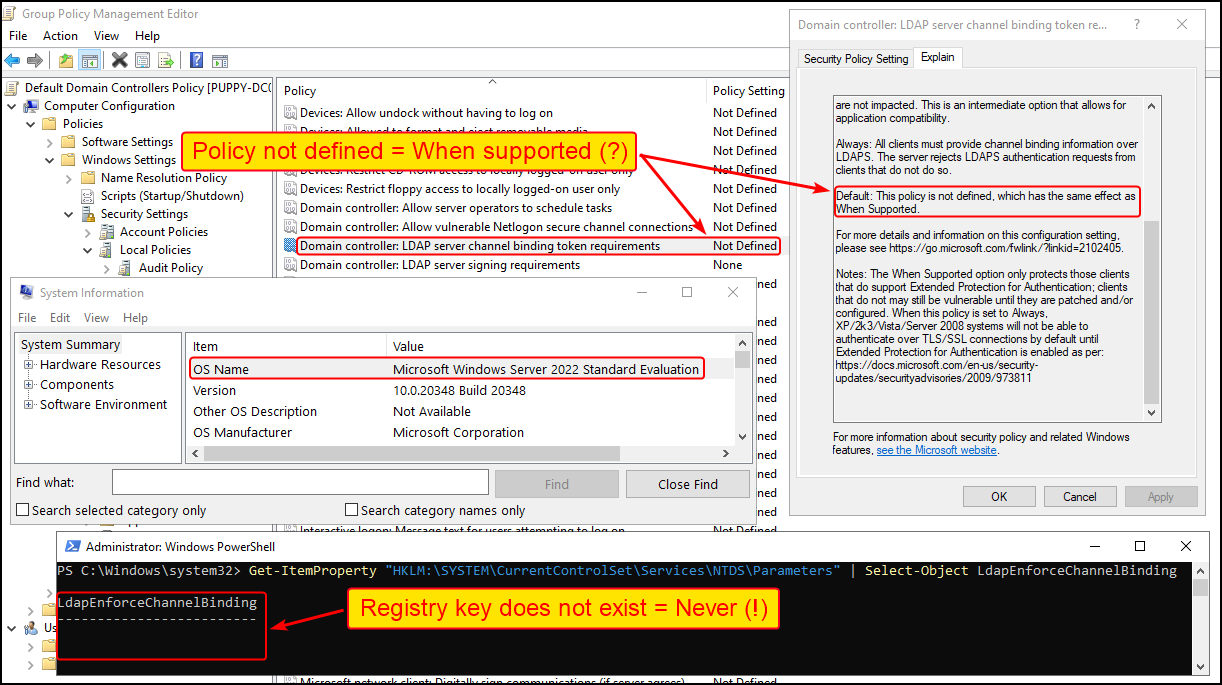
For example, some docs draw the line between Windows Server 2019 and Windows Server 2025, completely ignoring Windows Server 2022 (which happened to be my lab’s DC!). In addition, for channel binding the GUI indicates that when its policy is not configured, it defaults to When Supported. However, the registry key does not exist, which effectively results in channel binding being set to Never:
Hopefully, the resulting table is accurate in referencing the default behaviour for both signing and channel binding:
| ≤ Win Server 2022 | ≥ Win Server 2025 | ≤ Win 11 (23H2) | ≥ Win 11 (24H2) | |
|---|---|---|---|---|
| LDAP Signing | None | Required signing | Negotiate signing | Negotiate signing |
| LDAP Channel Binding | Never | When supported | Never | When supported |
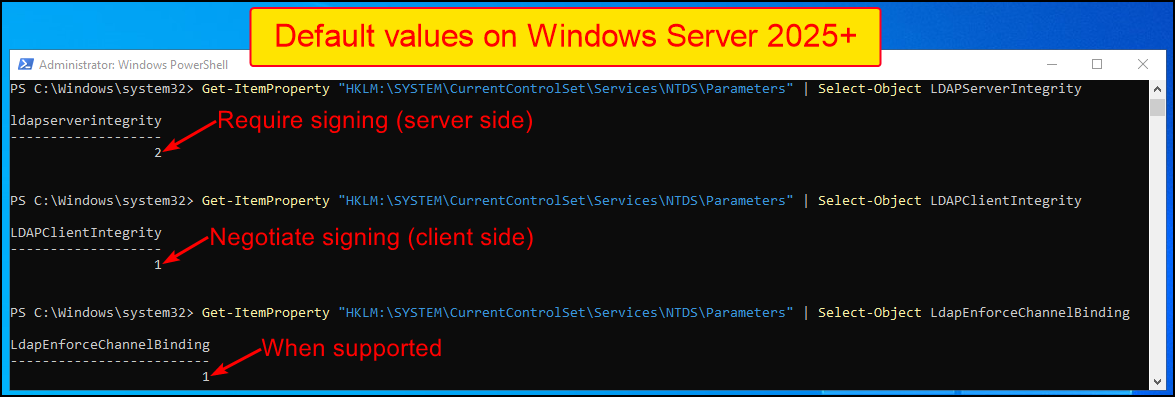
As you may already have noticed, modern systems are deployed in a more hardened state by default. As an example, the corresponding registry keys shown below (LDAPServerIntegrity, LDAPClientIntegrity, LdapEnforceChannelBinding) demonstrate the default configuration for a Windows Server 2025:
Mitigation
LDAP signing and channel binding address different aspects of the same problem: the former secures LDAP, while the latter secures LDAPS. Therefore, in order to have complete peace of mind, both need to be enabled.
However, these protections may impact legacy systems and applications:
- LDAP signing requires support for SASL-based authentication
- Channel binding depends on the client’s ability to include the appropriate binding data during authentication
As a result, these settings are sometimes only partially enforced in production environments. Thorough testing should therefore be performed before enabling them to minimise potential disruptions.
It is also worth noting that relay attacks depend on both the source and the target protocols. Even if LDAP or LDAPS is not properly secured, relay attempts may still fail if the originating protocol enforces protections (e.g. SMB signing). Conversely, protocols that do not provide such protections can be reliably used to relay authentication (e.g. EPA applied to HTTP).